
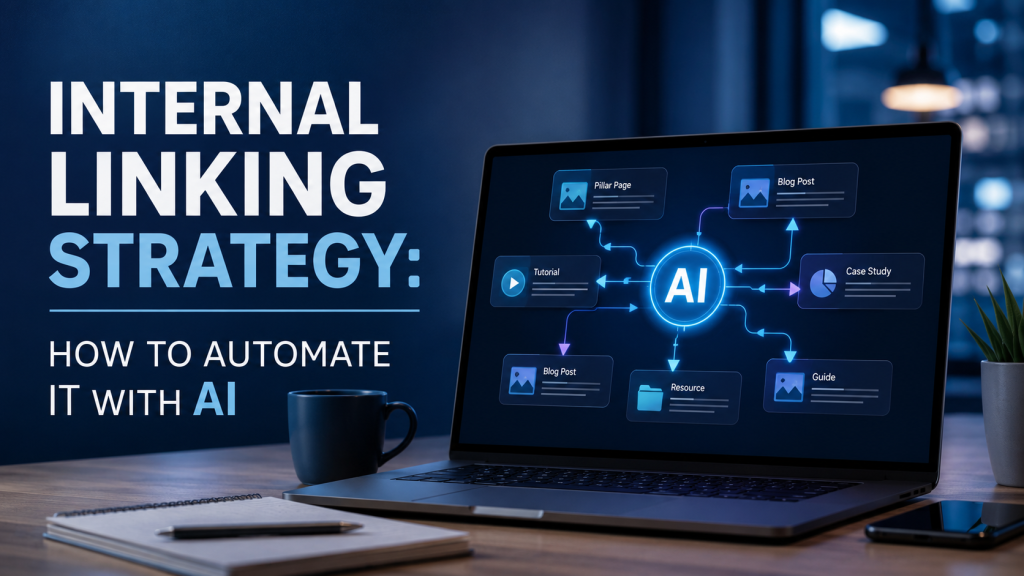
Internal linking is one of the highest-leverage SEO activities most content teams consistently underinvest in. Not because they don’t know it matters, but because doing it well at scale is genuinely hard. Manually auditing which pages should link to which, choosing the right anchor text, and keeping that structure consistent across hundreds of articles is the kind of task that gets deprioritized the moment a publishing deadline appears. The result: link graphs full of gaps, orphan pages, and missed topical signals. AI changes this dynamic completely. With the right setup, internal links can be added automatically, contextually, and at scale, without a single manual audit.
Key Takeaways:
- Internal linking distributes PageRank and signals topical authority to both search engines and AI systems
- Most content teams link inconsistently because the process is too manual to scale
- AI can match content semantics, not just keywords, to place links more accurately than humans
- ContentSuper’s Internal Links feature automates placement based on a structured database of your pages
- A well-linked site is also more citable in AI-generated answers, making internal linking a GEO signal too
Why Internal Linking Still Drives SEO Results (and Why Most Sites Get It Wrong)
Ask any technical SEO practitioner what they’d fix first on a site with flat traffic, and internal linking comes up within the first three answers. The reason is straightforward: internal links are how PageRank flows through a site. Every time a high-authority page links to a supporting article, it passes link equity along. Crawlers use those same links to discover and re-index content. Without a coherent linking structure, even well-written articles sit in the dark.
The failure modes are consistent across sites of all sizes. Orphan pages, articles that exist but receive zero internal links, are shockingly common. Teams often link to the same three or four pages repeatedly (usually the homepage and one or two cornerstone articles) while ignoring dozens of relevant supporting pages. Anchor text is another problem area: writers default to generic phrases like “click here” or “learn more” rather than descriptive text that reinforces the topic of the destination page.
These aren’t lazy mistakes. They’re the natural result of a process that asks individual writers to remember the entire site’s content library while drafting a new article. Nobody can do that reliably. The system needs to do it for them.
What a Strong Internal Linking Strategy Actually Looks Like
The gold standard for internal linking is the pillar-and-cluster architecture. A pillar page covers a broad topic comprehensively, and a ring of satellite (cluster) pages covers specific subtopics in depth. Every cluster page links back to the pillar, and the pillar links out to each cluster. This structure tells search engines that your site has genuine topical depth, not just a collection of loosely related articles.
Beyond pillar-cluster structure, a strong internal linking strategy follows three principles. First, topical relevance: every link should connect pages that share meaningful subject matter overlap, not just incidental keyword overlap. Second, link depth management: important pages should be reachable within two or three clicks from the homepage. Pages buried deeper than that get crawled less frequently and accumulate less link equity. Third, anchor text variety: use descriptive, keyword-aware anchor text that accurately describes the destination page, and vary it naturally across different linking instances.
Internal linking is the practice of hyperlinking from one page on a domain to another page on the same domain. Unlike external backlinks, which signal authority from third-party sources, internal links control how link equity distributes across your own site and how clearly crawlers and AI systems understand your content’s topical structure.
The Manual Linking Problem: Why Humans Can’t Scale This
Here’s a concrete number: according to content operations research cited in Search Engine Journal, adding thorough internal links to a single article during editing takes between 15 and 30 minutes when done properly. That means auditing the new post’s topics, searching for related existing articles, deciding which pages deserve links, writing contextually appropriate anchor text, and inserting the links without disrupting the prose flow.
Multiply that by 20 articles a month and you’re looking at 10 hours of pure linking work. Most teams don’t do it. They link to whatever comes to mind in the moment.
There’s also a recall bias problem. Writers and editors link to pages they personally remember, which tends to mean recent articles and high-visibility cornerstone content. Older supporting articles that are actually highly relevant get overlooked. The gap compounds over time: newer content gets linked frequently, older content gets more isolated, and the link graph grows increasingly uneven.
This is the exact problem AI is well-positioned to solve, because AI doesn’t forget, doesn’t have recall bias, and can evaluate semantic relevance across an entire content library simultaneously.
How AI Automates Internal Link Placement
AI-driven internal linking works differently from rule-based automation. Earlier tools matched links based on exact keyword strings: if an article contained the phrase “content marketing,” it would auto-link to whatever page was tagged with that keyword. The results were often clunky, irrelevant, or repetitive.
Modern AI approaches use semantic matching instead. The system reads the context of a paragraph, not just a single phrase, and evaluates which destination pages are topically relevant to that passage. The anchor text is chosen to fit naturally within the sentence, not just pasted in wherever a keyword string appears.
In ContentSuper, this works through two connected systems. The Brand Profile sets the context for each brand’s content library. The Internal Links database stores each page’s URL, title, anchor text, and a description field where you explain what the page covers. That description is what the AI uses to match links contextually. A page described as “a guide to setting up automated email workflows for e-commerce brands” will be matched to relevant passages in new articles, even if those articles never use the phrase “automated email workflows” verbatim.
The Max internal links setting per article gives you control over density. Setting a ceiling of four or five internal links per article keeps the linking pattern useful without overwhelming readers or diluting the equity distribution.
Setting Up Your Internal Links in ContentSuper
The setup is straightforward. In the sidebar, navigate to Internal Links (which automatically scopes to your active brand workspace). Click + Add Link and fill in four fields: URL, Title, Anchor Text, and Description.
The URL and Title are self-explanatory. The Anchor Text field is where you specify the exact hyperlinked phrase you want AI to use. If you want links to your pricing page to always appear as “ContentSuper pricing plans,” enter that here. The Description field is the most important one to get right: write a clear, specific explanation of what the page covers and who it’s for. Vague descriptions produce less accurate matches.
Once your Internal Links database is populated, every new article generated through ContentSuper will automatically pull from it. The AI selects the most contextually appropriate links from your database and places them where they read naturally in the prose, not just wherever a keyword string happens to appear. If you’re using the SEO/GEO writing tool for ongoing content production, this setup pays compounding dividends as your library grows: more articles means more linking opportunities, and the AI finds them all.
You can also update your internal links database at any time. Add a new page, update an anchor text, or revise a description, and the change applies to all future articles automatically. For retroactive updates on existing published content, you’d handle that through your CMS, but the forward-looking pipeline stays current without manual intervention.
Internal Linking for GEO: Why AI Engines Care About Your Link Graph
Search engine optimization and generative engine optimization share more infrastructure than most people realize. When AI systems like ChatGPT, Perplexity, or Google’s AI Overviews retrieve content to answer a user’s query, they’re not just reading individual pages in isolation. They’re evaluating which sources demonstrate topical authority on a subject, and internal link structure is one of the signals that communicates that authority.
A site with a coherent pillar-and-cluster architecture, where related pages are consistently linked to each other using descriptive anchor text, sends a clear signal: this site has depth on this topic. AI retrieval systems using RAG (Retrieval-Augmented Generation) are particularly sensitive to this, because they synthesize answers from multiple related sources and weight sources that appear comprehensive and internally consistent.
The practical implication is that internal linking is no longer just a search engine signal; it’s a GEO signal. Brands that maintain tight, well-described link graphs are more likely to be cited across related queries, not just the specific query their best article targets. For a deeper look at how to optimize content specifically for AI engines, the GEO optimize tool covers the full strategy.
The AI visibility tool at ContentSuper lets you measure exactly this: how often your brand appears in AI-generated answers, across which platforms, and how that changes over time. It’s the feedback loop that tells you whether your GEO efforts, including your internal linking structure, are actually moving the needle.
FAQ
How many internal links per article is ideal?
Most SEO practitioners agree that three to six internal links per article is a reasonable range for standard-length content (1,000 to 2,000 words). Fewer than three and you’re leaving opportunities unused; more than six starts to dilute the equity signal each link passes. The right number depends on article length and how many relevant pages exist in your library. ContentSuper’s Max Internal Links setting lets you define that ceiling, and the AI stays within it.
Does internal linking still matter if I use AI to write my content?
Yes, arguably more so. AI-generated content at scale means more pages being published faster, which means a larger content library that’s harder to manually cross-link. The value of internal linking, distributing PageRank, signaling topical authority, and helping crawlers discover content, doesn’t change based on how content was written. What changes is that without a systematic approach, a high-volume AI content operation will produce an increasingly fragmented link graph unless internal linking is also automated.
What’s the difference between internal links and external backlinks for SEO?
Internal links connect pages within your own domain and are fully under your control. They distribute PageRank across your site and help search engines understand content relationships. External backlinks come from other domains pointing to yours and are a primary signal of domain authority. Both matter, but they’re complementary, not interchangeable. A site with strong external backlinks but poor internal linking often has authority concentrated on a few pages rather than distributed across the content library where it could do the most work.
Can I update my internal links after publishing?
Yes. In ContentSuper, updating your Internal Links database changes how AI places links in all future articles. For previously published content, you’d handle updates manually in your CMS. A practical approach: audit your top 10 to 20 traffic-driving articles annually and update their internal links to reflect newer content published since.
Start Building a Smarter Internal Link Structure Today
Internal linking is one of those SEO fundamentals that rewards the teams who systematize it and quietly punishes the ones who don’t. The gap between a well-linked site and a poorly linked one widens with every article published, because every new piece of content is either connected to the rest of the library or it isn’t.
Automating internal linking through AI removes the bottleneck. You set up your Internal Links database once, maintain it as you publish new pages, and let the system handle placement for every article going forward. The AI Content writing guide walks through how to structure your full content workflow, of which internal linking is one key part.
If you’re producing content at scale and want both better SEO performance and stronger GEO citability, the AI Content guide is the best place to start understanding how ContentSuper’s platform connects content writing, internal linking, and AI visibility measurement into a single workflow.